
A guided route from draft to Word
How Manuscript to Book works
Bring the parts of your book together in a clear sequence. Manuscript to Book applies the repeatable Word mechanics when you ask for the document.
1. Start a book or import structured Markdown
Create a new 6 × 9 book in the beta, or bring back a compatible Manuscript to Book Markdown export. Ordinary arbitrary Word-document import is not available yet.
2. Add and organise the book
Enter the title, author and publishing details. Enable the front and back matter you need, then add, rename, delete and reorder chapters.
3. Write and choose the design
Use the focused rich-text editor for paragraphs, headings, lists, links, images and simple tables. Choose supported book-wide typography without laying out every page by hand.
4. Review the structure
The reading view helps you inspect order and appearance. It is an approximation: Microsoft Word remains authoritative for final line breaks and pagination.
5. Generate an editable Word document
The Windows app constructs a new DOCX using the selected template. You can then open the ordinary Word file, edit it, update its fields and create a PDF yourself if your publisher requires one.
See the real workflow
From book details to an editable DOCX
Start or import your book
Create a local project, enter the book details or import compatible structured Markdown.
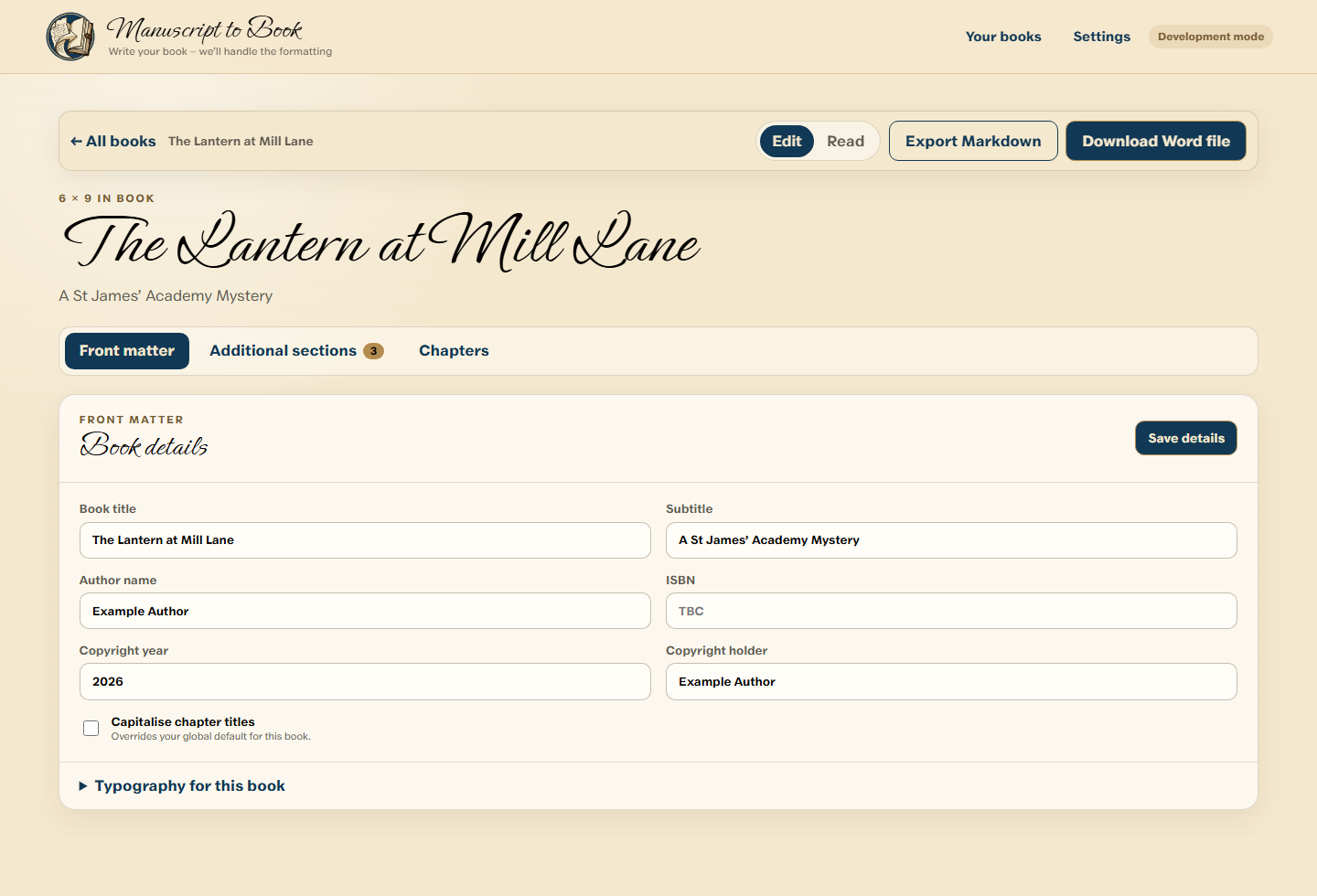
Book details, publishing information and export controls are organised around the book as a whole. Add and organise the content
Create, rename, reorder and edit chapters without manually managing Word sections.
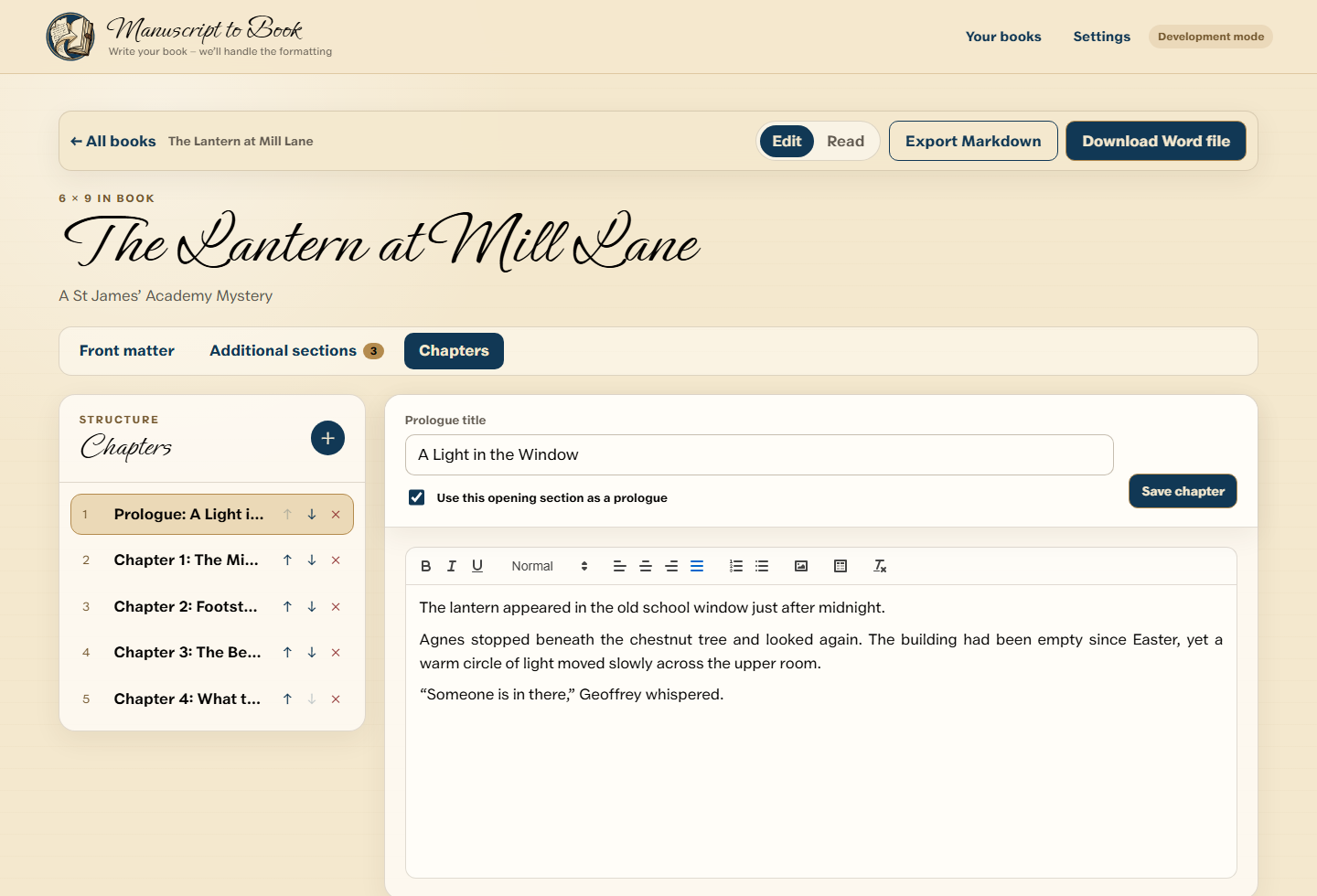
Add, rename, reorder and edit chapters in a focused workflow built around a manuscript. Choose the book-wide design
Set supported title, chapter and body typography once for the complete book.
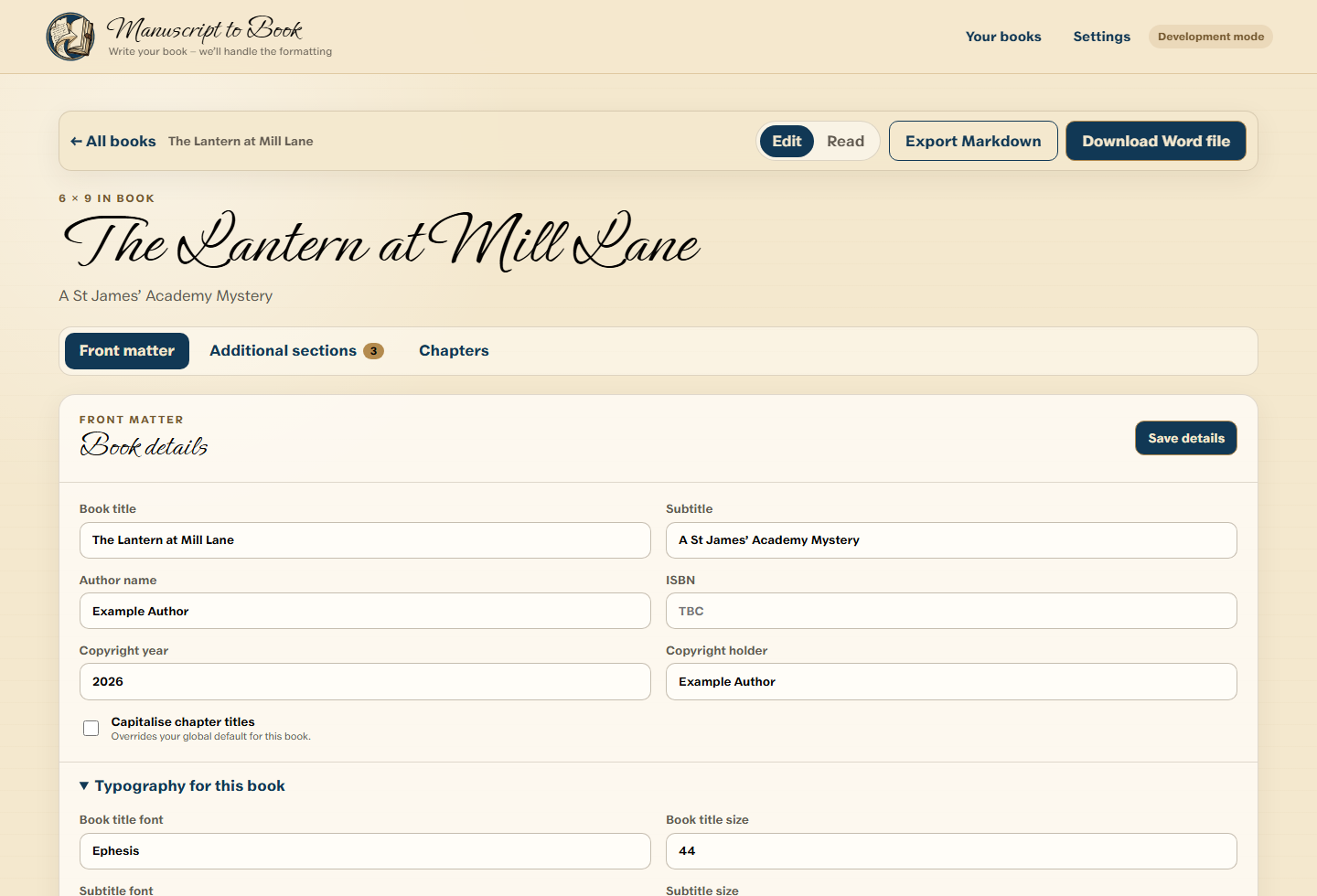
Book-wide typography choices are made once and applied consistently to the generated document. Review the structure
Use the approximate reading view to check order and appearance before generating.
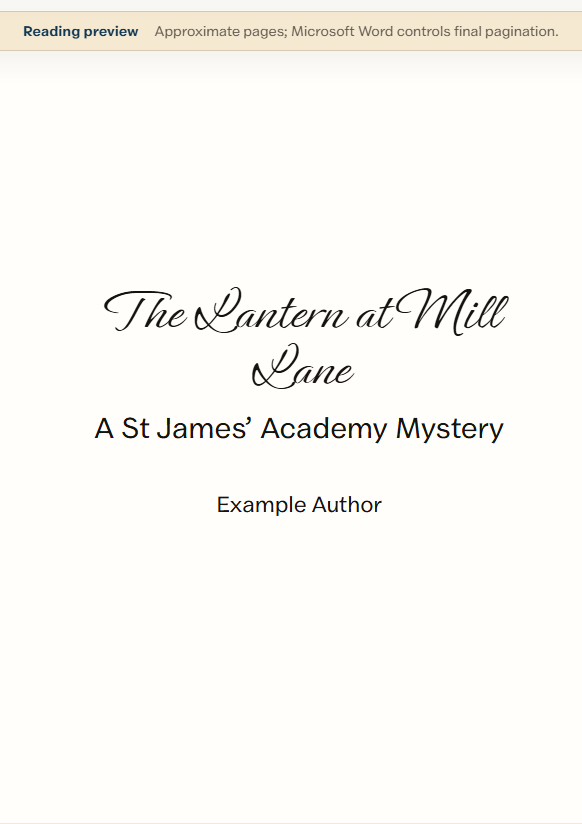
The reading view helps check structure and appearance; Microsoft Word remains authoritative for final pagination. Generate an editable Word document
Ask the Windows app to construct the DOCX, then continue working with it in Word.
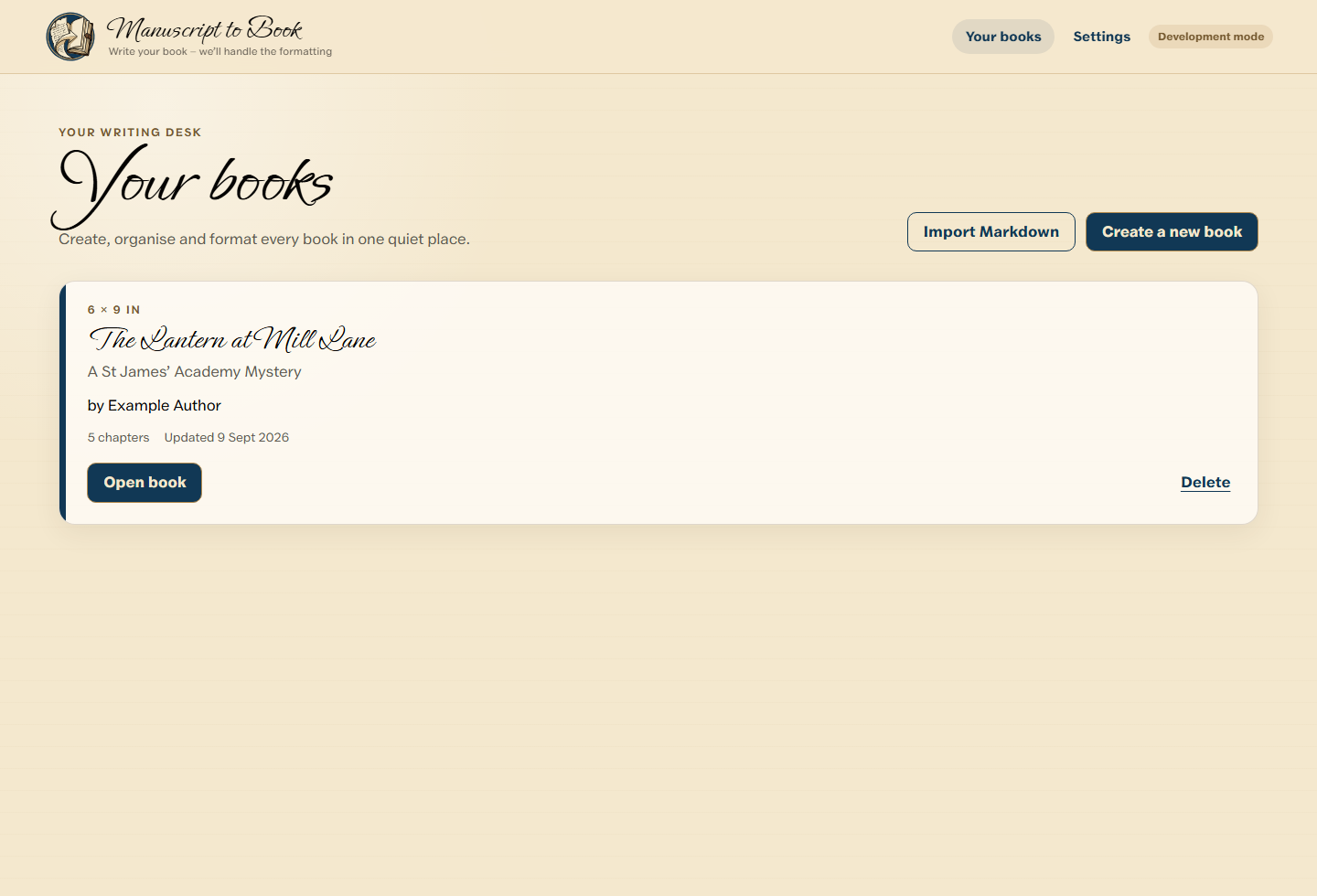
The desktop dashboard keeps locally stored books together without turning the app into a general-purpose word processor.